"Approve CRF" add-on
Add-ons are additional features that can be implemented in your trial for a fee. Please contact us if you are interested.
This add-on allows users with the "Approve and lock CRF" permission to lock a participant's CRF.
The feature works as follows:
- Log in with a role with the permission "Approve and lock CRF" and click on the "Approve" link for the CRF that needs to be locked
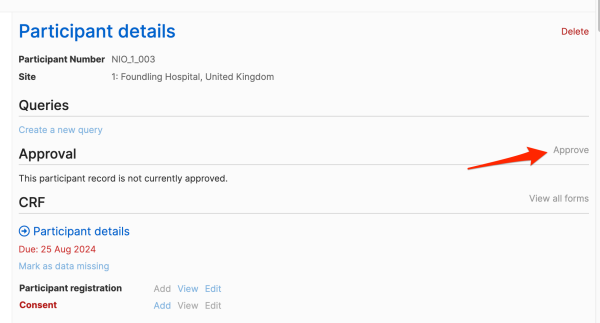
- The CRF cannot be approved if there are any open queries.

- Once all queries have been closed, the CRF can be approved. A list of overdue forms is shown. The user needs to enter their password to approve the CRF.

- When the CRF has been approved, forms and queries become read-only. Approval can be removed (and forms/queries will become editable again) by clicking on the "Remove approval" link.
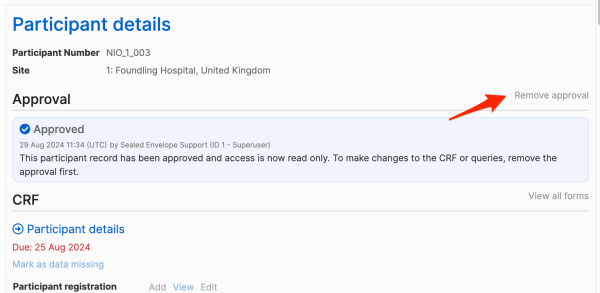
- The approval history of a participant's CRF is shown.
